
Intelligent Automation in Dubai: 10 Use Cases for UAE Businesses
Intelligent automation in the UAE isn't one platform you buy once. It's a set of narrow, specific systems, each removing one manual bottleneck: invoices that still get keyed in by hand, onboarding forms that sit in an inbox, claims that need a person to check and re-check the same details. The businesses pulling ahead are the ones that scope automation one workflow at a time and measure what each one actually saves. Here are 10 real use cases doing that today, and what separates intelligent automation from the rules-based automation that broke on the first exception.
 By: Asad Siddiq
Our intelligent automation work combines AI reasoning with reliable process automation so complex, document-heavy workflows run without babysitting. The category is growing fast for a reason: the global intelligent automation market is projected to grow from $17.0 billion in 2025 to $87.5 billion by 2035, a 17.9% compound annual growth rate. For UAE businesses specifically, the opportunity isn't the platform, it's the ten workflows below, each one solving a bottleneck a rules-based tool can't.
How Is Intelligent Automation Different From Traditional RPA?
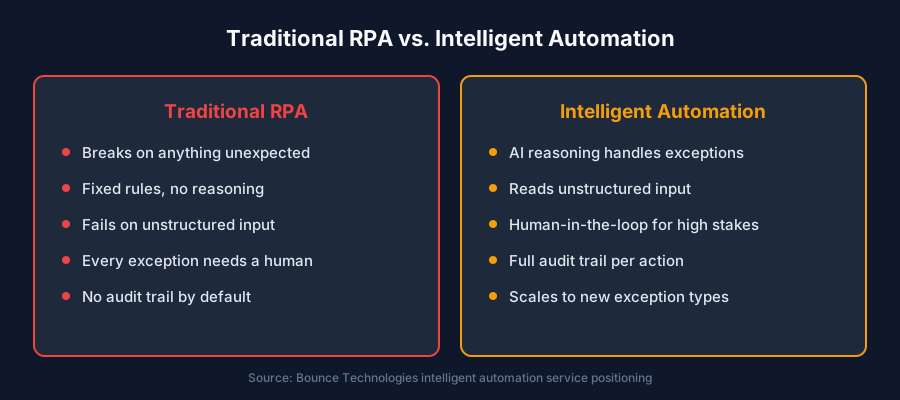
Traditional RPA breaks on anything unexpected: a form field in a different place, a scanned document instead of a clean PDF, an email worded slightly differently than the template it was trained on. Intelligent automation adds AI reasoning on top, so the system reads unstructured input and handles exceptions instead of failing and escalating everything to a human. Approval gates and review queues stay wherever judgment or risk demands a person, and every automated action is logged with a full audit trail for compliance and debugging.
1. How Does AI Automate Invoice Capture and Approval?
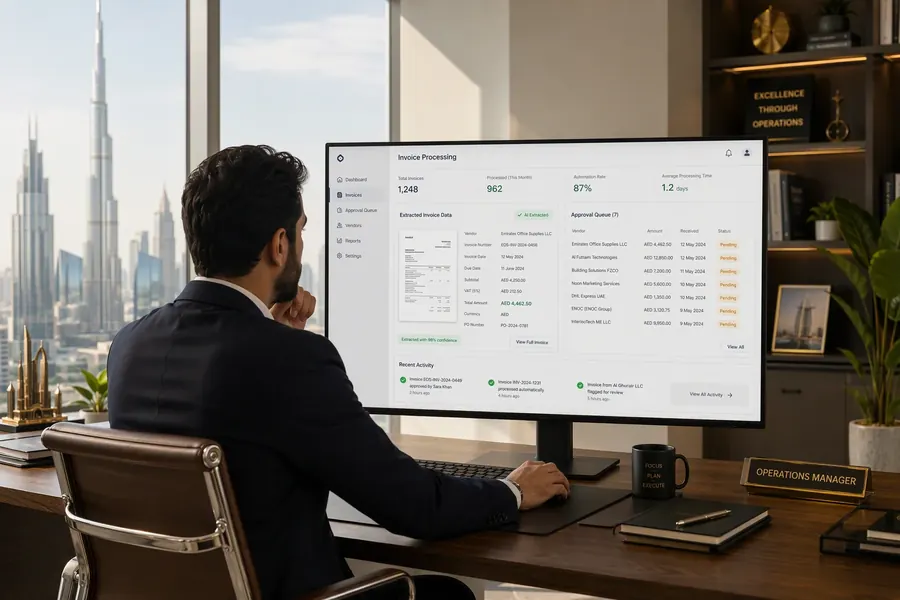
The system reads incoming invoices regardless of format, extracts line items and totals, matches them against purchase orders, and routes anything within policy straight to payment. Only invoices with a real discrepancy, a new vendor, or an amount outside the expected range reach a human approver, with the mismatch already flagged instead of buried in a stack of paperwork.
2. How Does AI Automate Employee and Customer Onboarding?
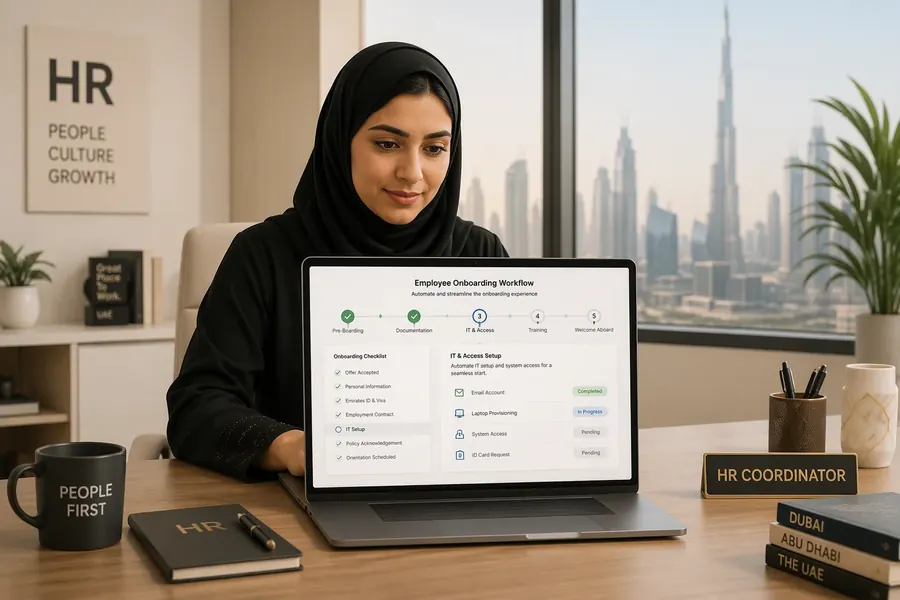
Onboarding workflows collect documents, verify them, provision the right systems access or account setup, and track every step in one place instead of a checklist spread across email threads and spreadsheets. For UAE employers running bilingual Arabic-English onboarding, the same document-intelligence layer that reads an invoice reads an Emirates ID or a scanned employment contract just as reliably.
3. How Does AI Handle Claims and Application Intake?
Incoming claims or applications are read, categorized by complexity and urgency, and routed before a human ever opens the file. Straightforward cases move through with minimal touch; anything with an anomaly signal, missing documentation, or an unusual pattern gets flagged for review with the specific issue already identified, not just a generic "needs attention" tag.
4. How Does AI Automate Data Entry and Reconciliation?
Cross-system data entry, the kind where someone manually copies a number from one platform into another, gets replaced with automated matching and reconciliation across the two systems. Records that match close automatically; records that don't get scored by likely cause and routed to the right queue instead of sitting in a shared spreadsheet waiting for someone to notice.
5. What Does AI Document Processing Actually Extract?
- Structured data from forms, invoices, and applications, regardless of layout or format.
- Key terms and clauses from contracts and agreements, flagged for review rather than requiring a full manual read.
- Content from emails, routing requests to the right team or system without a person triaging the inbox first.
- Fields from scanned or Arabic-language documents, using native document intelligence rather than a translation layer bolted onto English OCR.
6. How Does Intelligent Decisioning Handle Exceptions?
This is the layer that separates intelligent automation from rules-based automation. When an input doesn't match the expected pattern, a reasoning step evaluates context, e.g. is this a genuine exception, a data-entry error upstream, or a known edge case with a defined handling path, and either resolves it or routes it to the right person with the reasoning attached, instead of just halting the whole workflow.
7. How Does AI Automate System Integration Between Tools?
Automation connects to your ERP, CRM, and internal tools through real integrations so data flows between systems without a person copy-pasting between browser tabs. A system integration layer built correctly means adding automation doesn't require replacing the tools your team already knows.
8. Why Does Human-in-the-Loop Still Matter for Approvals?
Full automation isn't the goal for every decision, and it shouldn't be. Approval gates and review queues sit wherever judgment or risk demands a person: large payments, policy exceptions, anything with legal or compliance weight. The automation handles the volume; the human retains control of the decisions that actually need it.
The businesses seeing real returns from intelligent automation aren't running one big platform. They're running ten small systems that each remove one specific bottleneck, and they can name the metric each one moved.
9. How Does Automation Produce an Audit Trail for Compliance?
Every automated action logs what happened, when, on what input, and under which rule or model version, producing full traceability for compliance review and debugging. This matters as much for a UAE retailer automating expense approvals as it does for a bank automating fraud decisions, any automated action a regulator or auditor might ask about needs a record, not a shrug.
10. How Does Cross-Department Process Orchestration Work?
Once individual workflows are automated, orchestration coordinates them across departments, routing a task from intake through approval through fulfillment without a person manually handing it from one team's inbox to the next. This is usually the third or fourth use case a business automates, not the first, since it depends on the individual workflows underneath it already being reliable.
How Should a UAE Business Start With Intelligent Automation?
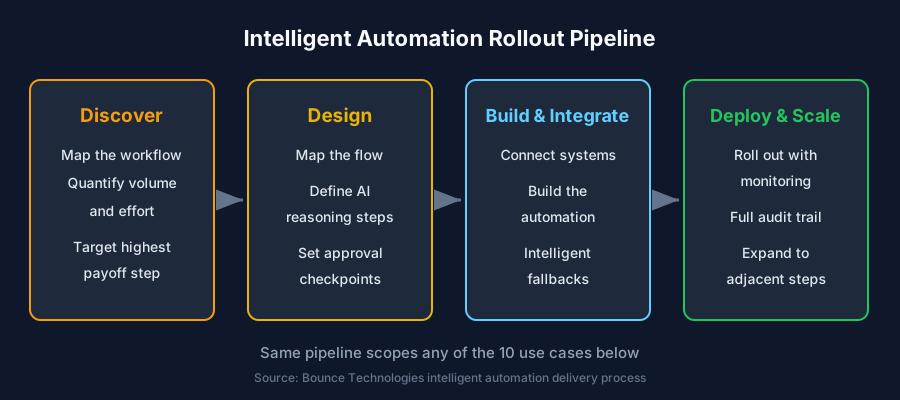
Start with the single process costing the most in manual hours or error correction, not the one that makes the best demo. Map it, quantify it, and automate that one workflow first. Measured outcomes from production deployments show 70% of manual process steps eliminated, 24/7 unattended execution, a 90% drop in processing errors, and turnaround times up to 5x faster, and the same underlying pipeline (discover, design, build, deploy) scopes the second and third use case faster than the first.
How Do You Evaluate an Intelligent Automation Partner?
Ask which specific workflow they're automating, not which platform they're selling. Ask how the system handles an exception it hasn't seen before, whether it integrates with your existing ERP or CRM without a rip-and-replace, and whether every automated action produces an audit trail. A vendor who can't name the specific integration points or show a traceable log for a single decision will stall the same way a generic RPA tool does, at the first exception.
Frequently asked questions
What is intelligent automation?
Intelligent automation combines AI reasoning with process automation so workflows handle document-heavy, judgment-requiring tasks without constant human intervention. Unlike traditional RPA, it reads unstructured input and reasons through exceptions instead of breaking on them.
How is intelligent automation different from RPA?
Traditional RPA follows fixed rules and breaks on anything unexpected. Intelligent automation adds an AI reasoning layer that reads unstructured input and handles exceptions, while still routing high-stakes decisions to a human through approval gates.
What are the most common intelligent automation use cases for UAE businesses?
Invoice capture and approval, employee and customer onboarding, claims and application intake, and automated data entry and reconciliation are the most common starting points, based on volume and manual-hours saved.
Does intelligent automation replace human decision-making?
No. Approval gates and review queues stay in place wherever judgment or risk demands a person, such as large payments or compliance exceptions. Automation handles the routine volume; humans retain control of high-stakes decisions.
How long does it take to deploy an intelligent automation workflow?
A single narrow workflow, like invoice processing or onboarding, typically deploys faster than a multi-system rollout. Scope one process, measure the outcome, then expand using the same discover-design-build-deploy pipeline.
Want this built for your team?
We ship production-grade AI like this across every industry, in weeks, not months.